Learn a new word every day, directly from your Lock Screen.
Pick up new words without opening an app.

Four languages.
Pick yours.
Korean, Chinese, Dutch, or Japanese. Each is a separate app so you only download what you want to learn.
How it works
Three simple steps to build a daily language habit.
Receive a Daily Word
A carefully selected word appears on your Lock Screen and Home Screen every day.
Learn Naturally
See the word throughout your day and absorb vocabulary effortlessly through repetition.
Share Beautifully
Share meaningful words directly from the app with elegant share cards.
Designed for
the way you learn.
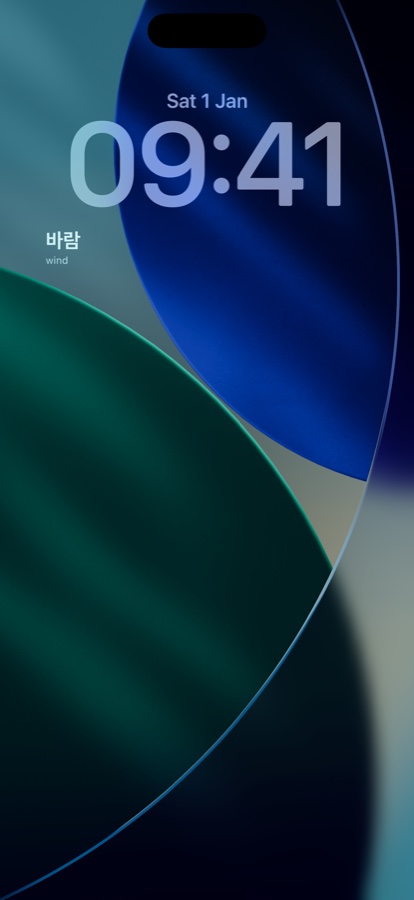
Lock Screen Widgets
Learn without unlocking your phone. The word is just there, every time you glance.
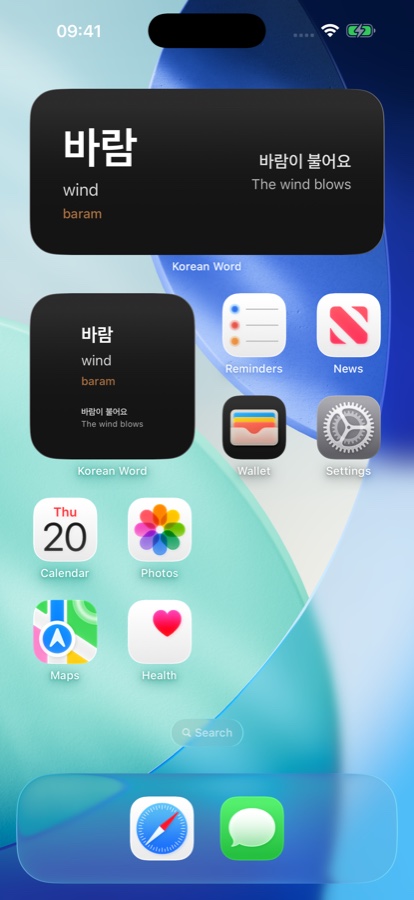
Home Screen Widgets
Turn any Home Screen page into a subtle language companion that works with your layout.
Completely Private
No accounts. No data collection. No internet needed. Everything stays on your device.
Daily Habit Building
Tiny moments of passive exposure that compound into real vocabulary over weeks and months.
Four Languages
Korean, Chinese, Dutch, and Japanese. Each with its own dedicated app. Pick one or collect them all.
Elegant Sharing
Share beautiful word cards with friends. Perfect for study groups or showing off progress.
Language learning doesn't have to feel like homework.
One beautiful word at a time.
Quietly integrated into your everyday life.
Widgets for every surface
Lock Screen, Home Screen. Small, medium. Your daily word, always in sight.

Lock Screen
Always visible on your iPhone

Home Screen Small
Always visible on your iPhone

Home Screen Medium
Always visible on your iPhone
More than a widget.
A beautiful companion app.
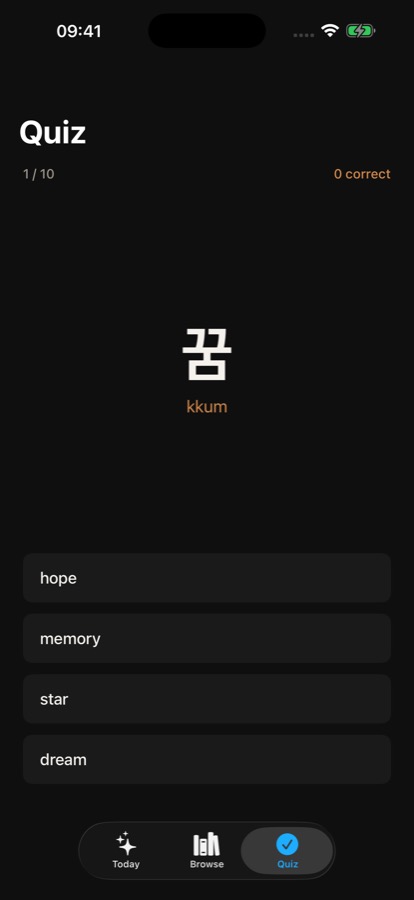
Each language has a companion app for word details, pronunciation settings, and sharing.

Word Card
A beautiful word every day with meaning, pronunciation, and sharing.

Settings
Toggle between Romanization, Pinyin, or IPA pronunciation.

Share
Share elegant word cards with friends and family.
From the
maker
"I built a widget so I'd stop forgetting to practice Korean. After a few days the words were sticking. Ones I thought I'd never remember."
Weyert
Maker of Daily Word
Get started today.
Download the app for your language, or help test Japanese in beta.
Free to download • Available for iPhone • iOS 16.0+
Using Japanese? See our install guide →
No accounts. No data collection. Works offline.
TestFlight Beta
New to TestFlight?
Three steps and you're set. Takes under two minutes.
Get TestFlight
Download the free TestFlight app from the App Store. It's Apple's official app for beta testing — no account or sign-up required beyond your existing Apple ID.
Tap your invite link
Choose a language above and tap the beta button. It opens directly in TestFlight where you can see the app details and accept the invite.
Install and add the widget
Tap Install in TestFlight. Once installed, long-press your Lock Screen, tap Customize, and add the Daily Word widget from the widget picker.